Document Security Threat Disarm (CDR) Solution

CDR technology
File Forgery Detection
File Integrity Check
Product Overview
Lupe is a document security solution based on Content Disarm & Reconstruction (CDR). It effectively blocks document-based security threats by identifying all documents as potential threats, removing malicious elements and security vulnerabilities from the documents, and reconstructing them into safe files.

Core Functions

Eliminate threats and reconstruct documents
Remove potential malware, macros, and scripts from the document and reconstruct it into a safe file.
File forgery and alteration detection
Identify file tampering by checking extension and header consistency
File Integrity Check
Determining integrity and abnormalities through file format structure analysis
Identify and repair corrupted files (optional)
Identify corrupted files and provide recovery capabilities
Supports various compressed files
Analysis and processing of various compression formats and multiple compression structures
Excel Macro Similarity Analysis
Determining whether it is normal or dangerous based on Excel macro similarity

Key Advantages

01. Acquired GS Certification Grade 1
A product whose quality excellence has been certified by acquiring GS Certification Grade 1 from the Korea Information and Communications Technology Association (TTA)

02. Security Based on the Removal of Potential Threats
By removing all potential threat elements contained within files, it overcomes the limitations of security that relies solely on detection.

03. Content Sanitization (CDR Technology)
Reconstructs a clean file by removing security vulnerabilities (malicious macros, scripts, embedded files, etc.) within the file that could be exploited by malware.

04. Flexible Integration with Various Environments
It can be safely applied to all environments requiring document movement, such as network connectivity, web and email servers, and document centralization solutions.
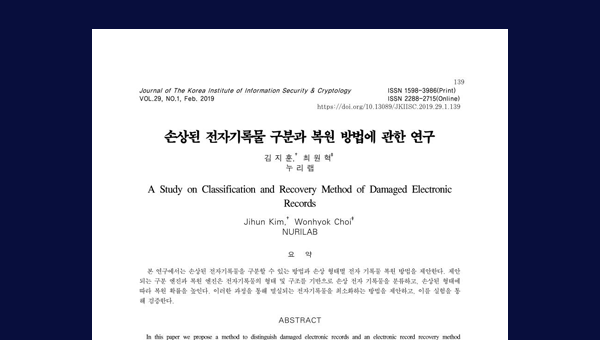
05. Published in the Journal of the Korea Information Security Society
"A Study on the Classification and Restoration Methods of Damaged Electronic Records" Published in the February 2019 issue of the Journal of the Korea Information Security Society

Analysis Process

Document files containing malware 1 Step 1 of detoxification:"Content verification" 2 Stage 2 of detoxification:Content decomposition 3 Step 3 of detoxification: 'Content restructuring'(removing malicious content) 4 Provide detoxifiedfiles 5
Document files containing malware 1 Step 1 of detoxification:"Content verification" 2 Stage 2 of detoxification:Content decomposition 3 4 5 Step 3 of detoxification: 'Content restructuring'(removing malicious content) Provide detoxifiedfiles

Supported Environment

Linux server
  • Operating system
  • Ubuntu 16.04.3
  • CentOS 7.0
  • RHEL 7.0
  • Kernel 2.6.18.xx or later
  • GCC Lib 2.x ~ 4.x
  • CPU
  • Intel Xeon 4Core or higher
  • Memory
  • 8GB or more
  • Hard disk
  • More than 1TB of free space
  • Interface
  • C/C++, Java, Python, C#, etc.
Windows Server
  • Operating system
  • Windows 2003 SP2 or later
  • CPU
  • Intel Xeon 4Core or higher
  • Memory
  • 8GB or more
  • Hard disk
  • 500GB or more of free space
  • Interface
  • C/C++, Java, Python, C#, etc.
Windows PC
  • Operating system
  • Windows 7 or later
  • CPU
  • Intel Core i3 2.9GHz or higher
  • Memory
  • 4GB or more
  • Hard disk
  • At least 10GB of free space